Owner
Dashboard
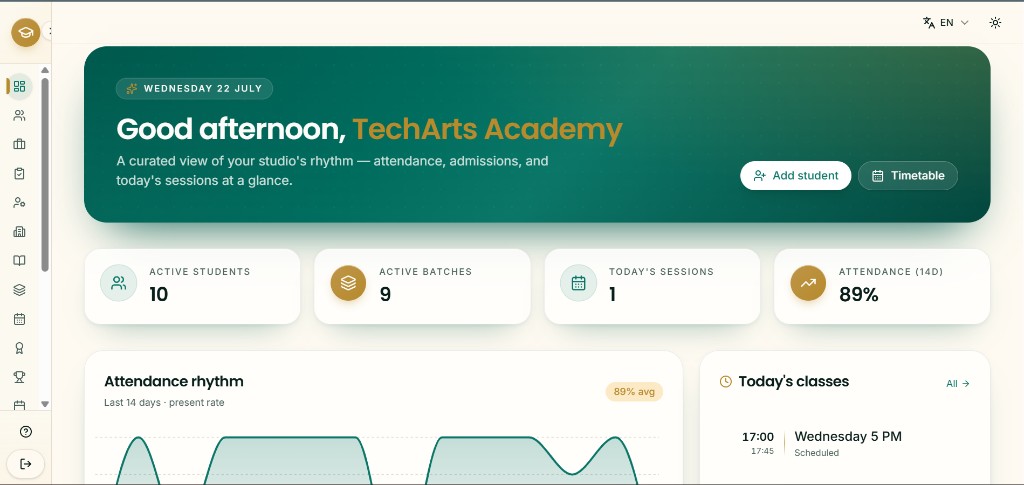
Your academy pulse — active students and batches, today's sessions, recent attendance, and shortcuts into daily work.
What you can do
- 1Start from today's overview
The welcome banner shows the date and a short studio summary. Use Add student or Timetable when you want to jump straight into those modules.
- 2Read the summary cards
Active Students, Active Batches, Today's Sessions, and Attendance (14D) give a quick health check before you open detail screens.
- 3Open a module from the sidebar
People covers students and staff; Programs covers disciplines, batches, and timetable; Finance and Insights hold fees, expenses, and reports.
Screenshot
/dashboard